As organisations embrace hybrid working, cloud applications, and digital transformation, a self service password reset solution has become an essential component of workforce IAM.
A modern SSPR platform enables employees to securely reset or unlock their accounts without contacting the IT helpdesk. By combining password reset automation, strong identity verification, and mfa password reset capabilities, organisations can improve user experience while strengthening enterprise password security.
This guide explains how self service password reset enhances security, reduces IT costs, and supports compliance in today's enterprise environments.
Table of Contents
· What Is Self-Service Password Reset (SSPR)?
· Why Traditional Password Reset Processes Create Security and Productivity Challenges
· Key Components of a Secure SSPR Solution
· Multi-Factor Authentication and Identity Verification in Password Resets
· How SSPR Reduces Helpdesk Tickets and IT Costs
· Enhancing Employee Productivity with Faster Credential Recovery
· Audit Trails, Compliance, and Password Reset Governance
· Detecting and Preventing Password Reset Fraud
· Best Practices for Implementing SSPR in Modern Enterprises
· How Trevonix Workforce Identity and Access Management Enables Secure Self-Service Password Resets
· Conclusion
What Is Self-Service Password Reset (SSPR)?
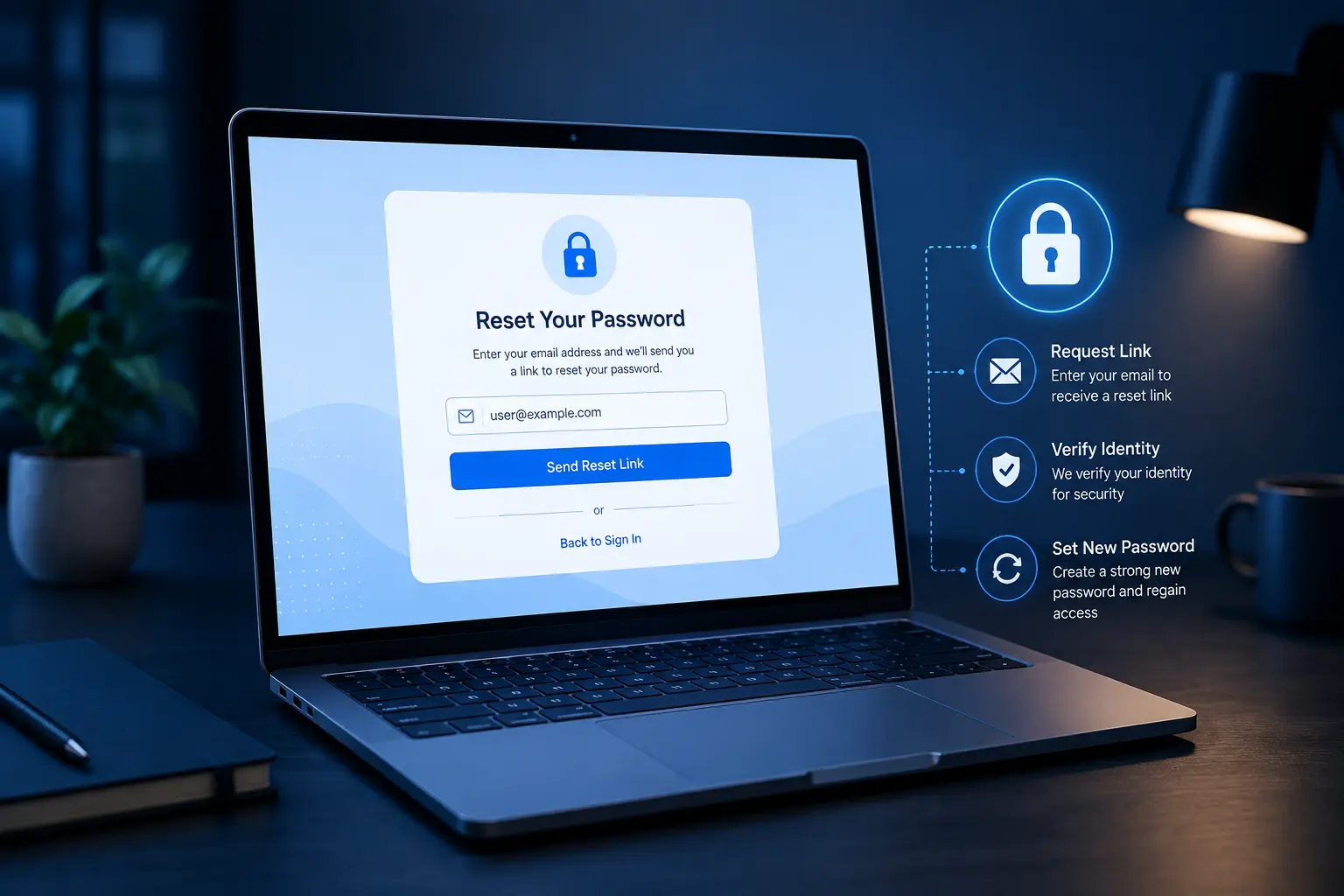
Self service password reset (SSPR) is a secure capability that allows employees to reset or unlock their passwords independently after verifying their identity. Instead of contacting the IT helpdesk, users complete an authentication process and regain access within minutes.
Modern SSPR solutions integrate with identity and access management IAM platforms to deliver secure password reset experiences across cloud applications, on-premises systems, VPNs, and business applications. Combined with intelligent password management, organisations can reduce security risks while improving the employee experience.
Why Traditional Password Reset Processes Create Security and Productivity Challenges
Manual password reset processes are slow, expensive, and vulnerable to social engineering attacks. Every forgotten password generates unnecessary support tickets, delays business operations, and consumes valuable IT resources.
Without password reset automation, helpdesk teams often spend significant time handling repetitive requests instead of focusing on strategic initiatives. Manual verification methods may also expose organisations to impersonation attacks, increasing the risk of compromised accounts.
Implementing self service password reset within a robust workforce IAM strategy eliminates these challenges by enabling secure, automated recovery while supporting stronger enterprise password security.
Key Components of a Secure SSPR Solution
An enterprise-grade SSPR solution should include several essential capabilities:
· Strong identity verification before every reset
· Automated password reset automation workflows
· Integration with identity and access management IAM
· Comprehensive password management policies
· Policy-based secure password reset
· Detailed auditing and reporting
· Support for cloud, hybrid, and on-premises environments
Together, these capabilities help organisations strengthen workforce IAM while providing a seamless user experience.
Multi-Factor Authentication and Identity Verification in Password Resets
Identity verification is the foundation of a secure password reset process. Rather than relying solely on security questions, modern organisations implement mfa password reset workflows using multiple authentication methods.
These may include:
· Authenticator applications
· Push notifications
· Biometrics
· SMS or email verification
· Hardware security keys
A mfa password reset process significantly reduces the likelihood of unauthorised password changes. Combined with secure password reset policies, organisations strengthen enterprise password security while ensuring only legitimate users regain account access.
Integrating SSPR with identity and access management IAM creates a consistent authentication experience across all enterprise systems.
How SSPR Reduces Helpdesk Tickets and IT Costs
Password-related support requests account for a substantial proportion of IT helpdesk workloads. Implementing self service password reset dramatically reduces these repetitive requests through intelligent password reset automation.
Benefits include:
· Fewer helpdesk tickets
· Lower operational costs
· Faster account recovery
· Reduced administrative workload
· Improved IT efficiency
By automating routine password recovery processes, IT teams can focus on higher-value security initiatives instead of manual password resets. This makes SSPR an important investment within every workforce IAM programme.
Enhancing Employee Productivity with Faster Credential Recovery
Employees expect immediate access to business applications regardless of their location or device. Waiting for IT support to reset passwords can interrupt workflows and reduce productivity.
A modern self service password reset platform enables users to regain access within minutes using secure password reset procedures and intelligent password management policies.
With mfa password reset, employees can securely verify their identities without depending on the IT helpdesk. The result is improved user satisfaction, reduced downtime, and stronger enterprise password security.
Audit Trails, Compliance, and Password Reset Governance
Many organisations must comply with regulations that require detailed monitoring of user authentication activities.
Modern SSPR solutions generate comprehensive audit logs that record:
· Reset requests
· Authentication methods used
· Device information
· Time and date
· Success or failure of each transaction
These records support governance, internal audits, and regulatory compliance while improving visibility across identity and access management IAM environments. They also strengthen password management by ensuring every password reset is fully traceable.
Detecting and Preventing Password Reset Fraud
Cybercriminals increasingly target password recovery processes to gain unauthorised access to enterprise systems.
Modern workforce IAM platforms reduce this risk through:
· Risk-based authentication
· Behavioural analytics
· Device recognition
· Location-aware policies
· Adaptive mfa password reset
· Automated anomaly detection
Combined with password reset automation, organisations can identify suspicious behaviour before credentials are compromised, significantly improving enterprise password security.
Best Practices for Implementing SSPR in Modern Enterprises
To maximise the value of self service password reset, organisations should follow several best practices:
· Require mfa password reset for all password recovery requests.
· Integrate SSPR with enterprise identity and access management IAM platforms.
· Enforce strong password management policies.
· Automate password recovery using password reset automation.
· Monitor all secure password reset activities through detailed audit logs.
· Regularly review password reset policies to maintain enterprise password security.
· Educate employees on safe password recovery practices.
These measures help organisations build a resilient workforce IAM strategy while reducing operational risk.
How Trevonix Workforce Identity and Access Management Enables Secure Self-Service Password Resets
Modern organisations require more than basic password recovery—they need intelligent identity security that balances user convenience with robust protection.
The Trevonix Workforce Identity & Access Management solution provides advanced self service password reset capabilities that integrate seamlessly with broader workforce IAM strategies. By combining password reset automation, secure password reset, mfa password reset, adaptive authentication, and centralised identity and access management IAM, Trevonix enables employees to recover credentials securely while reducing helpdesk workloads.
The platform also supports comprehensive password management, detailed audit trails, policy enforcement, and advanced monitoring to strengthen enterprise password security across cloud, hybrid, and on-premises environments.
Conclusion
As organisations continue expanding their digital workplaces, secure and efficient password recovery has become a business necessity rather than an IT convenience. Implementing self service password reset empowers employees with immediate access to critical systems while reducing administrative overhead and improving security.
By combining SSPR, password reset automation, mfa password reset, intelligent password management, and comprehensive identity and access management IAM, organisations can significantly strengthen enterprise password security. When delivered as part of a comprehensive workforce IAM strategy, these capabilities improve operational efficiency, enhance compliance, and provide a better user experience.
For organisations looking to modernise identity security, Trevonix Workforce Identity & Access Management offers a scalable approach to secure self-service password resets that protects both users and business-critical resources.