
.webp)
It is a security model where access permissions are assigned based on predefined roles.
In today’s digital world, cybersecurity threats are growing faster than ever before. Organizations are struggling to manage who should access what, especially when employees use multiple systems, cloud platforms, and devices. This is where Role-Based Access Control (RBAC) becomes essential. RBAC role based access control is one of the most effective and widely used access management models in modern cybersecurity.
This complete guide explains what role based access control is, why it matters, how it works, its benefits, challenges, real examples, and how businesses across industries use it. If you want to understand the role based access control meaning, role based access control definition, and see a real role based access control example, this guide covers everything.
Table of Contents
- What Is Role-Based Access Control (RBAC)?
- Why Access Control Matters in Cybersecurity
- Role-Based Access Control Meaning & Definition
- How RBAC Works
- Key Components of RBAC
- Role-Based Access Control Example
- Benefits of Using RBAC
- Common Use Cases of RBAC
- RBAC vs ABAC vs MAC
- Challenges in Implementing RBAC
- Best Practices for Successful RBAC Adoption
- Conclusion
- FAQs
What Is Role-Based Access Control (RBAC)?
Role-Based Access Control (RBAC) is a cybersecurity model where access to systems, data, and applications is granted based on the user’s assigned role within an organization. Instead of giving permissions to each user individually, RBAC role based access control groups permissions into predefined roles—such as Admin, Manager, HR, or Analyst.
RBAC helps organizations avoid unnecessary access and reduces risk by ensuring each person only gets access they truly need. This method is simple, scalable, and widely used in enterprises, government organizations, hospitals, and cloud platforms.
In short, RBAC makes access management easier, safer, and more organized.
Why Access Control Matters in Cybersecurity
Modern cybersecurity challenges are more complex than ever:
- Employees use multiple apps, devices, and cloud systems.
- Cybercriminals target sensitive data through phishing, ransomware, and insider attacks.
- Organizations must comply with strict regulations like GDPR, HIPAA, and ISO.
Access control plays a critical role in defending systems from misuse. Without proper access management:
- Employees may accidentally access confidential information.
- Insider threats can increase.
- Attackers can move deeper into systems after a breach.
RBAC role based access control helps enforce strict boundaries and ensures that only the right people access the right information at the right time.
Role-Based Access Control Meaning & Definition
Role-Based Access Control Meaning
The role based access control meaning is simple: access is based on a role, not on the individual user. Each user is assigned a role depending on their job. The role defines what they can read, edit, delete, approve, or modify.
For example:
- A doctor can access patient records.
- A nurse can update vitals but cannot approve surgeries.
- Admin staff can view appointment schedules but not medical history.
This clear separation ensures that users do not get more access than needed.
Role-Based Access Control Definition
The formal role based access control definition states:
RBAC is a security model that assigns permissions to users based on their organizational roles. Access is managed by grouping permissions into roles and mapping users to those roles.
This definition highlights the core strength of RBAC role based access control—structured and rule-based permission control.
How RBAC Works
Step-by-Step Flow of RBAC
Here is how RBAC operates inside a system:
1. Identify Roles
Organizations define roles like:
- Admin
- Manager
- Accountant
- IT Support
- Analyst
2. Assign Permissions
Each role receives specific permissions such as:
- Read
- Write
- Approve
- Delete
- Modify
3. Map Users to Roles
Users are assigned one or more roles based on job function.
4. Enforce Access
When a user tries to access a system, RBAC verifies:
- Their assigned role
- Role permissions
- Whether access should be granted or denied
This clean and predictable flow makes RBAC easy to maintain.
Core Logic of RBAC Authorization
RBAC systems follow a simple logic:
User → Assigned Role → Role Permissions → Access Granted or Denied
Before a system allows any action, it checks:
- What is the user’s role?
- Does the role allow this permission?
If yes → Access granted
If no → Access denied
This clear workflow keeps systems secure and consistent.
Key Components of RBAC

RBAC role based access control is built on four main components.
Roles
Roles represent groups of permissions. Examples include:
- Admin – full access
- Manager – approve and edit access
- Analyst – read-only
- Staff – limited access
Permissions
Permissions define what actions can be performed:
- Read
- Write
- Delete
- Edit
- Approve
Users
Users are individuals (employees, contractors, partners) assigned one or multiple roles.
Sessions
A session is a temporary link between the user and their role when they log in. RBAC uses sessions to control what the user can do during that login period.
Role-Based Access Control Example
Let’s explore a detailed role based access control example to understand this better.
Example 1: Hospital
Doctor
- Can view patient history
- Can update diagnosis
- Can prescribe medicines
- Cannot delete administrative records
Nurse
- Can update patient vitals
- Can view medical records
- Cannot prescribe medications
Admin Staff
- Can view appointment lists
- Cannot access medical history or lab reports
This prevents misuse and protects patient privacy.
Example 2: Corporate Environment
HR Manager
- Can view employee data
- Can update HR policies
- Cannot access financial accounts
Finance Executive
- Can view and edit financial reports
- Cannot edit HR documents
IT Admin
- Can configure systems
- Cannot access payroll details
This role based access control example demonstrates how RBAC maintains clarity and security.
Benefits of Using RBAC
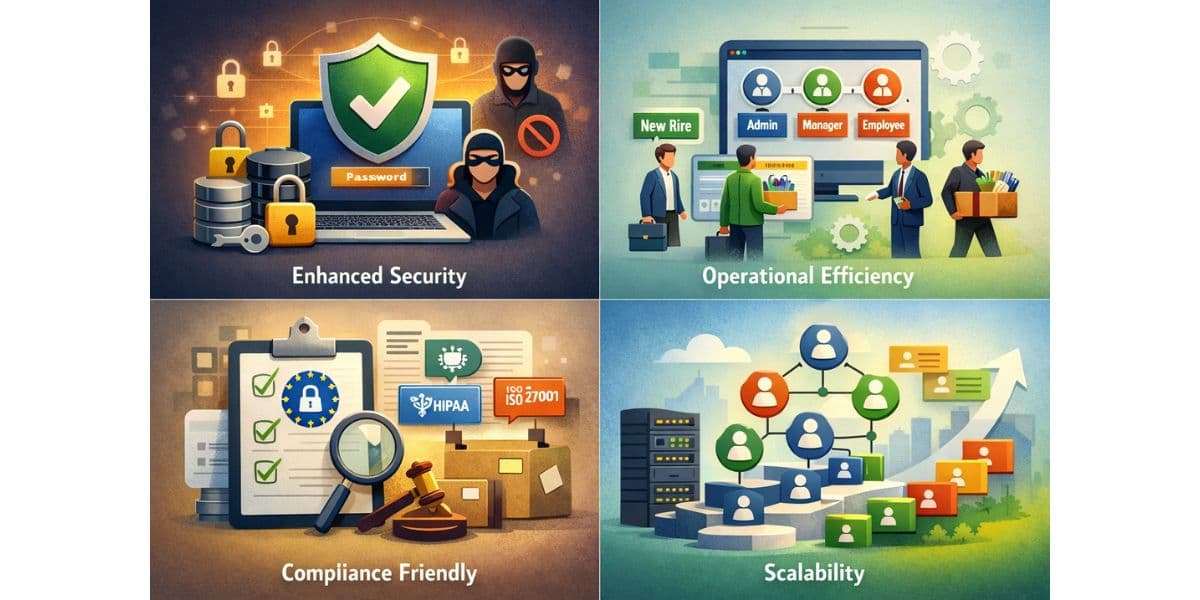
Enhanced Security
RBAC role based access control minimizes unauthorized access and insider threats. Users only get the permissions required for their job.
Operational Efficiency
User provisioning becomes quick and easy. When an employee joins or leaves, assigning or removing a role is simple.
Compliance Friendly
RBAC helps organizations maintain compliance with:
- GDPR
- HIPAA
- ISO 27001
It simplifies audits and reduces violations.
Scalability
As an organization grows, RBAC scales smoothly. You can add new roles and permissions without disrupting existing systems.
Common Use Cases of RBAC
RBAC role based access control is widely used in:
- Healthcare systems
- Banking and financial services
- Cloud platforms (AWS, Azure, Google Cloud)
- HR management systems
- Enterprise SaaS applications
- Government portals
Its simplicity and reliability make it the default access control model in many industries.
RBAC vs ABAC vs MAC
RBAC (Role-Based Access Control)
- Permissions are given based on predefined roles.
- Simple, scalable, easy to implement.
- Ideal for most organizations.
ABAC (Attribute-Based Access Control)
- Access depends on attributes such as:
- User attributes (age, department, clearance)
- Resource attributes (data type)
- Environment attributes (location, time)
More flexible but more complex.
MAC (Mandatory Access Control)
- Access is controlled by a central authority.
- Mainly used in the military and government.
- Users cannot change access rights.
Which Model to Choose?
Choose RBAC when:
- You need simple and scalable access control.
- Your team structure is stable.
- You want easy provisioning and compliance.
Choose ABAC when:
- You need flexible, dynamic access rules.
Choose MAC when:
- You handle classified or top-secret data.
Challenges in Implementing RBAC
Even though RBAC role based access control is effective, organizations face challenges such as:
- Role explosion (too many roles)
- Difficulty maintaining roles over time
- Incorrect permissions assigned to roles
- Lack of visibility into who has what access
- Complex audits when systems scale
With proper planning, these issues can be controlled.
Best Practices for Successful RBAC Adoption
To implement RBAC role based access control smoothly:
1. Conduct a Role Audit
Review all job responsibilities before defining roles.
2. Map Permissions Properly
Assign only the required permissions to each role.
3. Follow the Principle of Least Privilege
Provide minimum necessary access.
4. Review Roles Regularly
Update roles as job responsibilities change.
5. Automate Role Provisioning with IAM Tools
Use identity and access management tools to avoid errors.
6. Document Everything Clearly
Maintain proper records for audit and compliance.
Conclusion
Role-Based Access Control (RBAC) is one of the strongest, simplest, and most scalable access control models used in cybersecurity today. From reducing insider threats to ensuring compliance with global standards, RBAC role based access control offers unmatched advantages to organizations of all sizes.
As businesses continue to shift to cloud-based systems and digital workflows, structured access control becomes more important than ever.
If you are planning to strengthen your organization’s cybersecurity and identity governance strategy, consider exploring solutions from Trevonix. Trevonix is a global identity management and cybersecurity solutions provider headquartered in London, offering powerful tools designed to help modern enterprises manage access securely and efficiently.