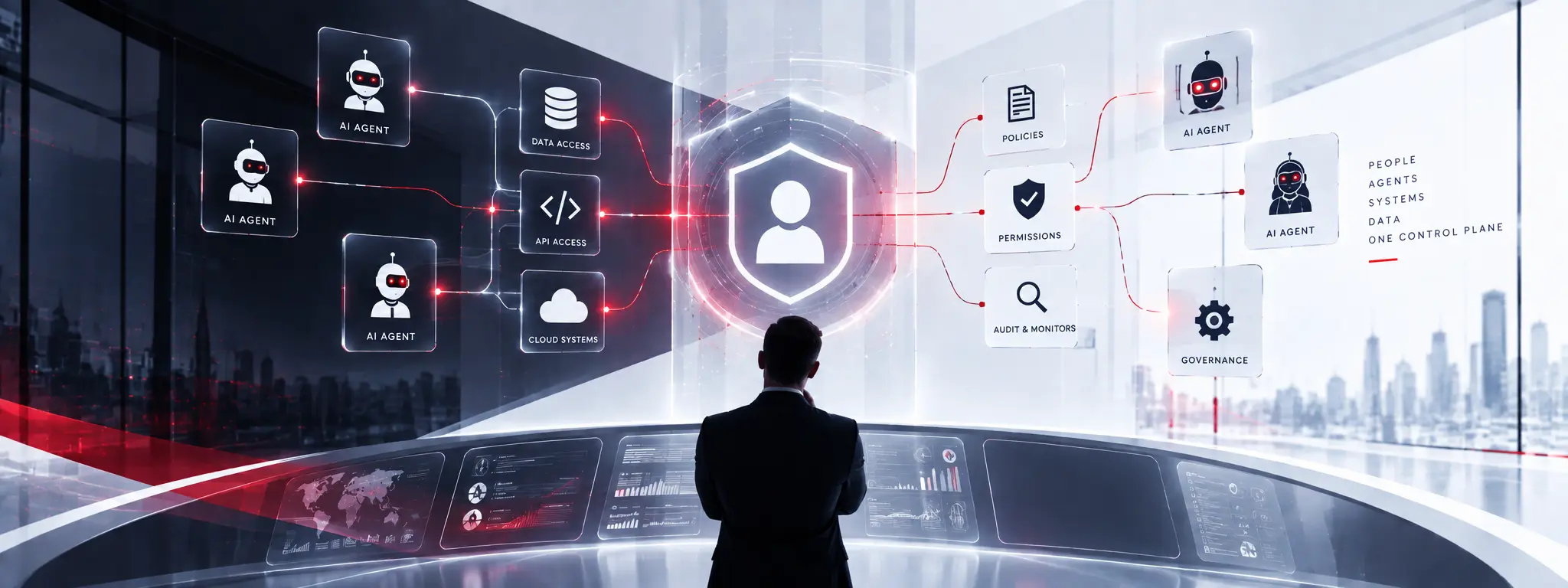

In the digital era, security and access control are among the most vital aspects of any organization. With enterprises adopting hybrid and remote work environments, the need for robust and efficient Identity and Access Management (IAM) operations has never been more critical. IAM operations ensure that only the right individuals can access the appropriate resources at the right time. Without proper IAM support, businesses risk unauthorized access, compliance issues, and operational disruptions.
This blog will explore the best practices for IAM support, maintenance, and operations to help organizations streamline their identity management processes. We will also examine the importance of automation, maintenance strategies, and how to overcome common IAM challenges.
Table of Contents
- Understanding IAM Operations
- The Role of IAM Support
- IAM Maintenance: Keeping Systems Healthy
- Best Practices for IAM Implementation and Beyond
- Common IAM Challenges and How to Solve Them
- Benefits of Efficient IAM Operations and Support
- Conclusion
Understanding IAM Operations
IAM operations encompass a broad range of tasks aimed at managing digital identities and their access privileges. These include:
User Provisioning and Deprovisioning
IAM operations begin with onboarding and offboarding users. When a new employee joins, they need immediate access to specific systems, applications, and data. IAM operations ensure that provisioning is both quick and secure. Similarly, when someone leaves the organization, deprovisioning ensures access is revoked to prevent data leaks or unauthorized entry.
Role Management
Defining and managing roles is essential for minimizing risks and maintaining compliance. IAM operations involve assigning roles based on job functions. This streamlines access control and helps in scaling operations without compromising security.
Access Reviews
Access reviews are periodic checks to ensure that users still require the access they have been granted. IAM operations teams schedule and manage these reviews to maintain a secure environment and comply with regulations like GDPR, HIPAA, and SOX.
Importance of Automation in IAM Operations
Manual IAM operations are time-consuming and error-prone. Automation in IAM operations reduces human error, speeds up access provisioning and deprovisioning, and helps maintain consistency. Automated workflows also support timely access reviews and policy enforcement.
The Role of IAM Support
IAM support refers to the ongoing services that help manage, troubleshoot, and optimize IAM solutions.
Key Responsibilities of IAM Support
Resolving Access Issues
IAM support handles access-related problems like login failures, locked accounts, and permission errors. Timely resolution improves user satisfaction and productivity.
Managing User Requests
IAM support teams respond to user requests such as password resets, access approvals, and changes in roles or permissions.
Monitoring for Unusual Login Behavior
Security monitoring is another vital aspect of IAM support. The support team uses tools to detect and report abnormal activities such as login attempts from suspicious locations or rapid login failures.
Enhancing User Experience and Reducing Downtime
A well-structured IAM support system enhances the user experience by reducing wait times and minimizing disruptions. Prompt support ensures business continuity, which is essential in fast-paced digital environments.
Support Options: Internal Team vs. Managed Services
Organizations can choose between building an in-house IAM support team or outsourcing to a managed services provider. Internal teams offer more control, while managed services provide expertise, scalability, and often cost-efficiency.
IAM Maintenance: Keeping Systems Healthy
IAM maintenance is critical for ensuring system stability, security, and performance over time.
Regular Updates and Patches
Keeping IAM software up-to-date is vital for fixing vulnerabilities and enhancing functionalities. Maintenance involves applying patches, testing updates, and ensuring compatibility with other systems.
Policy Reviews and Cleanup of Inactive Accounts
Outdated policies and inactive accounts pose security risks. IAM maintenance should include:
- Reviewing and updating access control policies
- Removing or archiving unused accounts
- Refining group memberships and permissions
IAM System Audits and Compliance Checks
Regular audits help organizations identify gaps in their IAM framework and ensure compliance with regulatory standards. Maintenance activities should include:
- Audit trail reviews
- Compliance reporting
- Incident analysis and documentation
Best Practices for IAM Implementation and Beyond
Successful IAM operations begin during the implementation phase and extend through ongoing support and maintenance.
Plan for Long-Term IAM Support During Initial IAM Implementation
From the outset, organizations must plan for scalability, sustainability, and post-implementation support. IAM operations must be aligned with business growth and future needs.
Choose Tools That Are Easy to Manage and Scale
Select IAM tools that support automation, integrations, and scalability. Look for platforms that allow centralized policy management, support multi-factor authentication, and offer robust analytics.
Train Staff on IAM Roles and Operations
End-users, IT staff, and administrators must understand how to interact with the IAM system. Conduct regular training sessions to keep everyone updated on best practices, policies, and tools.
Common IAM Challenges and How to Solve Them
IAM systems often face multiple challenges that can hinder operations:
Challenge 1: Complex Access Requirements
Solution: Implement role-based and attribute-based access controls (RBAC & ABAC) to simplify access provisioning.
Challenge 2: Shadow IT and Unapproved Applications
Solution: Conduct regular audits and restrict access to non-sanctioned apps through IAM policies.
Challenge 3: Poor User Experience
Solution: Use Single Sign-On (SSO) and self-service portals to make IAM operations user-friendly.
Challenge 4: Lack of Visibility and Reporting
Solution: Use IAM tools with real-time dashboards and reporting features to track access patterns and system health.
Challenge 5: Inadequate IAM Support and Staffing
Solution: Leverage managed IAM services to fill resource gaps and provide round-the-clock support.
Benefits of Efficient IAM Operations and Support
Effective IAM operations offer significant benefits to any organization:
- Enhanced Security: Reduces risk of data breaches by managing and monitoring access effectively.
- Regulatory Compliance: Supports compliance with standards like GDPR, HIPAA, and SOX.
- Improved User Experience: Streamlines access to resources and reduces wait times for support.
- Operational Efficiency: Automates repetitive tasks and allows IT teams to focus on strategic initiatives.
- Scalability: Facilitates easy expansion of IAM systems as organizations grow.
- Cost Savings: Minimizes downtime, reduces support costs, and avoids penalties from non-compliance.
Conclusion
IAM operations are the backbone of any organization's security infrastructure. From provisioning users to monitoring suspicious behavior, IAM support and maintenance ensure smooth and secure business operations. By implementing best practices, investing in the right tools, and planning for long-term sustainability, businesses can build a resilient IAM framework.
Trevonix is a trusted partner in IAM implementation, support, and operations. With extensive experience in managed IAM services and a commitment to delivering innovative security solutions, Trevonix helps organizations worldwide stay secure, compliant, and agile.